

Quick Summary
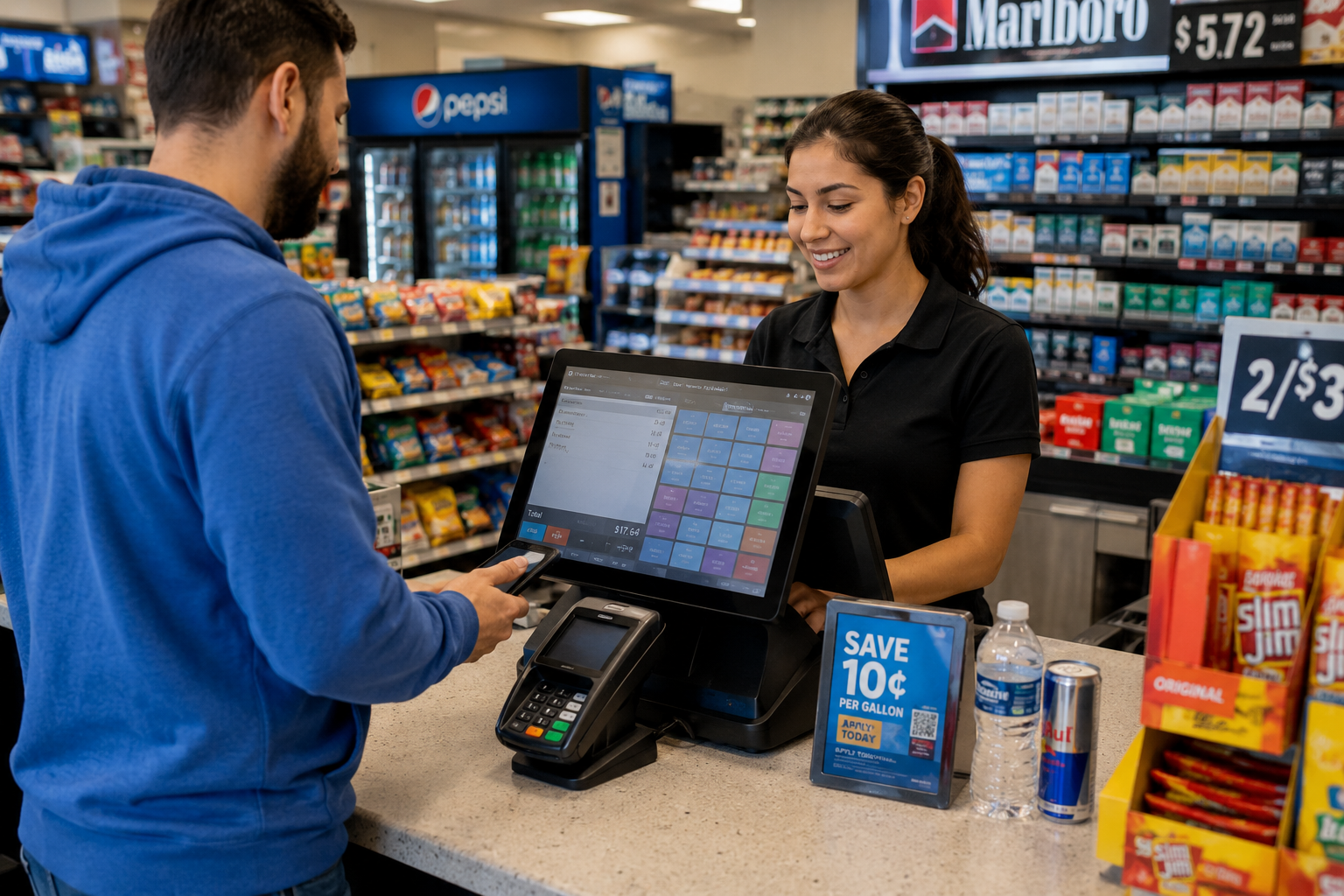
In this guide, we evaluate the 10 best POS systems for convenience stores in 2026, including Osprey POS, NRS, and Lightspeed, so you do not have to sort through generic retail systems on your own. We focus on fast checkout, age verification, inventory automation, and shrink protection for busy stores and multi-location operations.
Our top three picks:
# | Tool | Best For |
1 | Osprey POS | Independent convenience store operators needing strong rollout, staff training, and ongoing operational support |
2 | NRS | Small convenience stores looking for lower upfront costs with bundled hardware and essential POS features |
3 | Bottle POS | Liquor and alcohol-focused stores that need automated inventory, invoicing, and product performance tracking |
Why Your Convenience Store POS Choice Affects Your Margins
Convenience stores handle high transaction volumes and strict compliance every day. General retail systems often fall short in that environment. Slow checkout affects the customer experience, manual age verification adds regulatory risk, and weak shrink controls make it harder to protect already tight margins.
The best POS systems for convenience stores do more than process sales. They help you keep lines moving, manage stock more accurately, control cash, and track performance across one store or several locations. In this review, we compare smart replenishment, cash management, and multi-location reporting across systems built for different convenience store needs.
We focus on platforms built for independent operators, growing chains, and the day-to-day demands of convenience retail.
Why Listen to Us?
bmc has worked with independent retailers since 1958 and continues to support stores that need dependable POS systems, practical rollout support, and long-term service. That experience gives us a clear view of what matters once a system is live, not just what looks good in a demo. It also helps us judge the tradeoffs between flexibility, support quality, and operational fit for different convenience store operators.
Top 10 POS Systems for Convenience Stores Compared
Not all POS systems handle convenience store operations the same way. This comparison highlights where each platform fits based on reliability, support, and operational needs
# | Tool | Best For | Key Strength | Starting Price |
1 | Osprey POS | Independent c-store operators | Service, rollout, and control in one system | Custom pricing |
2 | NRS | Small convenience stores | Low-entry setup with c-store basics | From $19.95/mo + $499 hardware |
3 | Bottle POS | Liquor and alcohol-focused stores | Automated inventory and invoicing for liquor retail | From ~$20–$80/mo |
4 | IT Retail | Grocery and deli-heavy stores | Weighted inventory and scale integration | Custom pricing |
5 | Lightspeed | Multi-location and scaling retailers | Advanced inventory and analytics across locations | From $89/mo |
6 | Shopify | Omnichannel-first retailers | Unified online and in-store selling | From $19/mo (+ $79/mo POS Pro) |
7 | KORONA POS | Inventory-focused stores | Deep stock control and reporting | From $59/mo |
8 | POS Nation | Small grocery and c-stores | Case-break and lottery tools | From $49/mo |
9 | Clover POS | Flexible retail setups | Easy hardware and app flexibility | Custom pricing |
10 | Square for Retail | Small convenience stores | Simple setup and clear pricing | Free plan / $49/mo |
.Let’s take a closer look at how each POS system performs in real convenience store operations.
1. Osprey POS
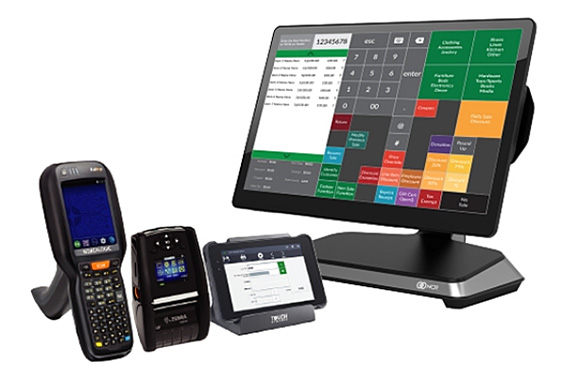
Osprey POS is a convenience store system designed for operators who need reliable checkout, strong inventory control, and hands-on support during rollout and day-to-day operations. Offered by Business Machines Company (bmc) as part of its retail solution stack, it combines POS software, hardware, kiosk capabilities, and implementation support into one setup
Key Features
- Fast checkout and flexible payments: Supports contactless, mobile wallets, and traditional payments to keep transactions moving during peak store hours.
- Self-checkout kiosks: Enables customers to complete purchases independently, helping reduce queues and improve in-store flow.
- Age verification support: ID scanning and register prompts help staff handle age-restricted sales more consistently and reduce compliance risk.
- Inventory tracking and visibility: Tracks product movement and stock levels to help operators monitor fast-selling items and avoid stockouts.
- Product lookup and pricing access: Allows quick access to product details, pricing, and promotions to support both staff and customer self-service.
- Line-busting capabilities: Distributes transactions across kiosks and registers to reduce congestion during busy periods.
- Implementation and training support: Includes on-site setup, system configuration, and staff training to help stores go live with fewer disruptions.
Pricing
Osprey POS uses custom pricing based on hardware requirements, store setup, and number of locations.
Pros
- Combines POS, kiosks, hardware, and support in one system.
- Supports faster checkout in high-volume store environments.
- Includes tools for age-restricted sales and compliance.
- Offers hands-on implementation and staff training support.
- Helps improve operational visibility across inventory and transactions.
Cons
- Pricing is not publicly listed and requires a direct consultation.
2. National Retail Solutions (NRS)

National Retail Solutions (NRS) is a POS system aimed at smaller convenience stores that want a lower-cost way to upgrade checkout and basic store operations. Its model is built around subsidised hardware, payment processing, and convenience-focused tools such as age verification, lottery support, and EBT. That makes it more relevant for independent operators who want a simpler setup and a lower upfront investment than larger enterprise systems.
Key Features
- Regulated Item Compliance: Prompts cashiers for age checks and supports ID scanning for restricted sales.
- Convenience Store Workflows: Supports EBT, lottery, and dual-pricing tools that are common in smaller convenience stores.
- Preloaded Pricebook: Includes pre-configured UPC data for many common convenience and grocery items.
- NRS Insights: Gives stores access to promotions, digital coupons, and sales insights.
- Remote Store Management: Lets operators track sales and store activity through the My NRS Store app.
Pricing
Hardware bundles start at $499 and increase based on the setup, though NRS also offers a bring-your-own-tablet option with no hardware cost. Software plans start at $19.95 per month for Basic and go up to $79.95 per month for Elite. Stores that do not use NRS Pay pay higher monthly software fees.
Pros
- Low upfront hardware costs reduce financial barriers.
- Built-in tools support lottery and regulated sales.
- Minimal staff training required for the touchscreen interface.
- Pre-programmed UPCs simplify initial inventory setup.
Cons
- Monthly fees increase when using outside payment processors.
- Lacks advanced features like case-break pricing logic.
- Terminal design is not suited for high-volume chains.
3. Bottle POS

Bottle POS is a cloud-based platform built by liquor store owners to handle specialized inventory like wine and spirits. The system automates complex tasks like invoice entry and product performance ranking to save independent retailers significant manual labor time. It works both online and offline to ensure your checkout lines never stop moving regardless of internet connectivity.
Key Features
- Auto-Ranking: This tool grades every product from A to D based on sales patterns and overall performance.
- Product Database: The system includes over 20,000 pre-loaded liquor products to accelerate your initial inventory setup and reduce manual data entry.
- Dual Pricing: You can offer cash discounts automatically, allowing customers to choose their payment method while the system handles the math.
- Integrated Age Verification: Scanners read driver’s licenses to calculate customer age instantly while checking for expired documents to maintain strict legal compliance.
- Automated Invoicing: The platform pulls data directly from various distributors to import invoices automatically and update your stock levels in real time.
Pricing
Hardware is typically bundled based on your setup and processing agreement. Software plans generally range from around $20 to $80 per month depending on features.
Pros
- Logic for case-break inventory is built for liquor retail.
- Automated invoicing saves hours of manual inventory data entry.
- Intuitive interface for staff requires very little training time.
Cons
- Detailed reporting often requires manual adjustments or extra steps.
- Customer support response times can be slow during peaks.
- Using external payment processors adds a recurring monthly surcharge.
4. IT Retail
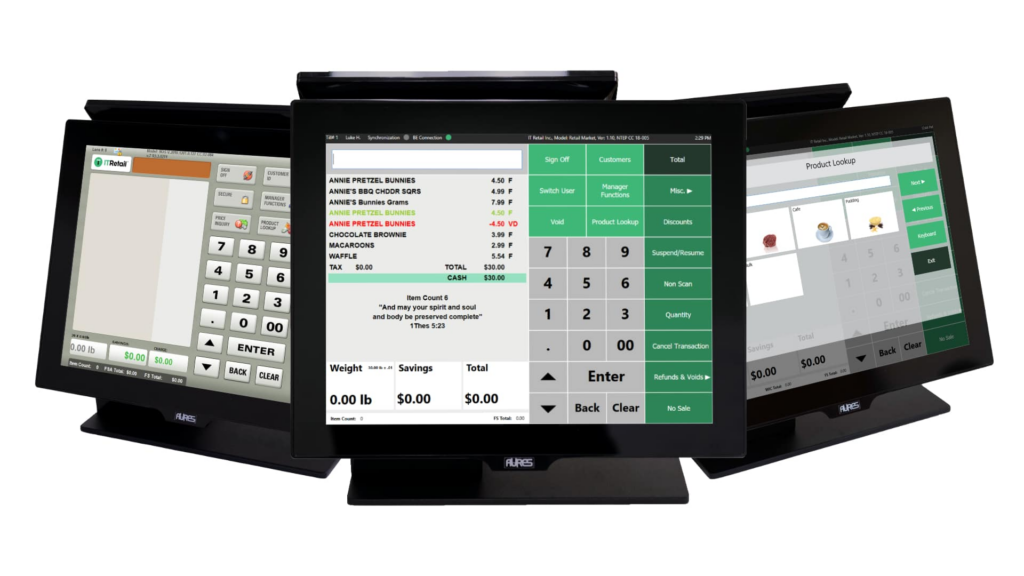
IT Retail is a point of sale platform tailored for independent markets that manage significant fresh food or deli departments. It streamlines grocery-specific tasks by integrating directly with scales to ensure that weighted items are priced accurately at checkout. The system focuses on maintaining operational stability for retailers who prioritize perishable inventory management alongside standard retail transaction processing.
Key Features
- Deep Scale Integration: This feature transmits weight data directly from scales to the register to prevent manual entry errors and speed up checkout.
- Weighted Inventory Tracking: The system monitors stock levels by weight for perishables, which is vital for managing deli and produce department margins.
- EBT & eWIC Support: Software automatically segregates eligible items in mixed transactions to streamline government benefit payments without requiring extra cashier intervention.
- Grocery Back Office: Operators can print shelf tags and manage complex mix-and-match promotions to ensure pricing remains consistent across the entire store.
- Offline Mode: This tool helps ensure checkout lanes remain operational and can process sales even if the store loses internet connectivity.
Pricing
IT Retail uses a quote-based pricing model depending on hardware configuration and the total number of active store locations.
Pros
- Designed specifically for retailers managing heavy perishable food inventories.
- Native support for government benefits like EBT and eWIC.
- Local database help maintain stable checkout during internet outages.
Cons
- User interface looks outdated compared to newer cloud platforms.
- System requires dedicated legacy hardware instead of consumer tablets.
- Initial software setup is complex due to deep features.
5. Lightspeed
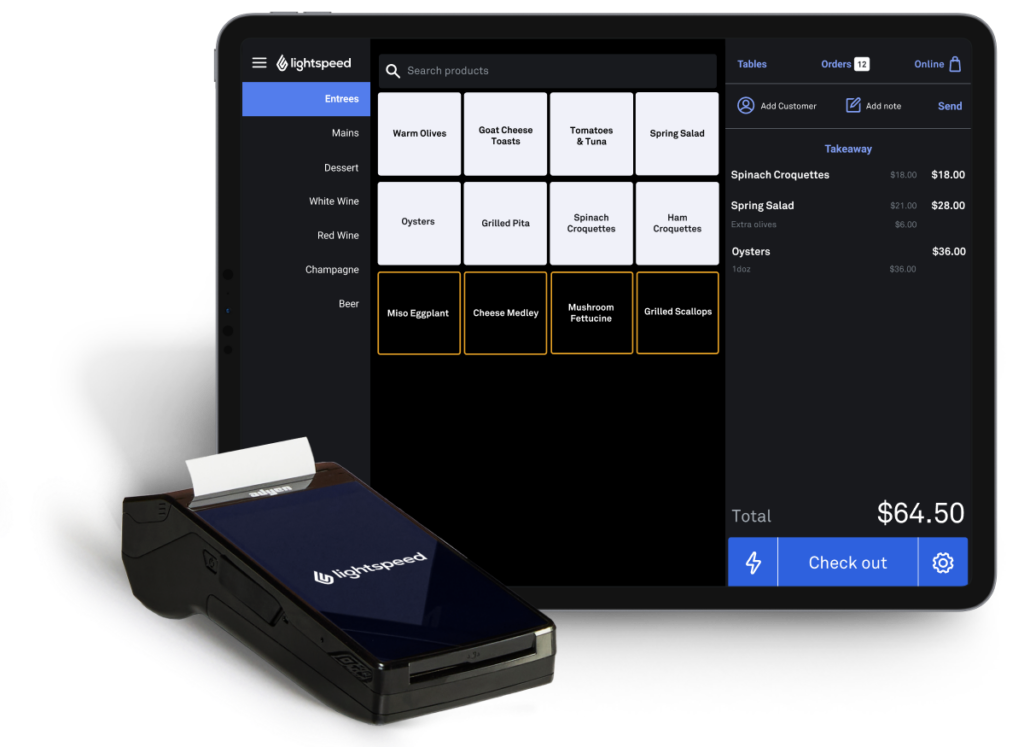
Lightspeed is a high-performance commerce platform designed for inventory-heavy retailers who need to manage thousands of unique product variations. It unifies in-person and online sales into a single back office to give owners real-time visibility across all locations. The system is built for businesses that require advanced analytics and forecasting tools to optimize their stock levels.
Key Features
- Unified Commerce: The system syncs your online store and physical registers in real time to ensure inventory accuracy across all sales channels.
- Advanced Inventory Management: Built-in tools handle matrix variants like size or color and allow for bulk edits to manage large product catalogs.
- NuORDER Integration: Merchants can discover and order from thousands of suppliers directly through the POS to streamline their wholesale buying process.
- Actionable Insights: Smart dashboards provide detailed forecasting and reporting to help identify sales trends and optimize stock levels across multiple stores.
- Native Loyalty Engine: This feature tracks customer lifetime value and automates personalized marketing campaigns to drive repeat visits and increase store revenue.
Pricing
Annual billing plans include Basic at $89/month, Core at $149/month, and Plus at $289/month.
Pros
- Strong tools for managing large and complex product variations.
- Detailed reporting provides insights beyond basic sales tracking.
- Successfully used in many countries with multi-location support.
Cons
- Monthly plans are more expensive than most entry-level competitors.
- Significant learning curve for staff due to deep features.
- Phone support hours are limited to specific regional time.
6. Shopify
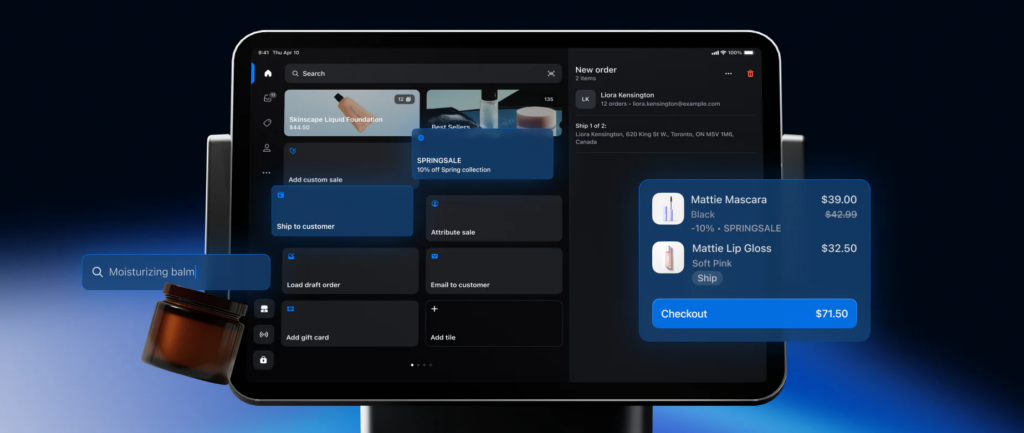
Shopify POS is a flexible, cloud-based system that connects in-store and online sales through a single platform. While not industry-specific, it is widely used for its ease of use, strong ecommerce integration, and large app ecosystem. It works well for businesses that want to unify physical retail with online sales channels.
Key Features
- Smart Grid Checkout: Staff can customize the home screen with shortcuts for popular items and discounts to speed up the transaction process.
- Integrated Age Verification: Third-party apps enable ID scanning and verification for restricted sales for restricted items like tobacco to ensure legal compliance.
- Unified Inventory: Stock levels sync automatically between your online store and physical locations to provide real-time accuracy and low-stock alerts.
- POS Go Device: This handheld terminal includes a built-in barcode scanner and card reader for processing checkouts anywhere on the floor.
- Omnichannel Fulfillment: Customers can buy products online and pick them up in-store with inventory updating instantly across all your sales channels.
Pricing
Annual plans start at $19/month for Basic, $54/month for Grow, and $299/month for Advanced. POS Pro costs $79/month per location.
Pros
- Extremely user-friendly interface that is very easy for staff.
- Strong option for stores that prioritize online sales and e-commerce.
- App marketplace allows for endless customization and new features.
Cons
- Does not natively support niche features like EBT payments.
- Advanced retail tools require an extra monthly location fee.
- Requires e-commerce subscription even for pure brick-and-mortar stores.
7. KORONA POS
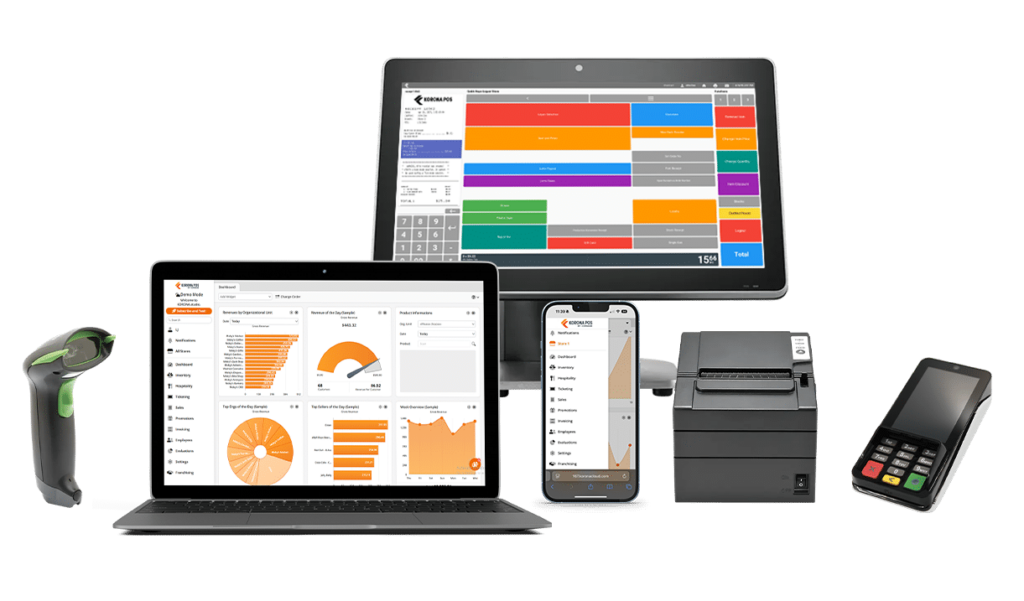
KORONA POS is a strong fit for convenience stores that put inventory control at the centre of daily operations. Its convenience-store positioning leans on fast checkout, cashier controls, age verification, reorder automation, and multi-location reporting, which makes it more relevant than a general retail POS for operators managing a large SKU count, regular stock movement, and tighter shrink control.
Key Features
- Automatic Reorder Levels: KORONA POS can analyse sales history and stock trends to recalculate reorder levels and support faster replenishment.
- Age Verification Features: The convenience-store system includes age verification tools for restricted-item sales.
- Cashier Security and Tracking: KORONA lets operators set cashier permissions and track cashier actions to improve store-level control.
- Real-Time Inventory and Reporting: Operators can view live inventory, reports, and analytics across stores through KORONA Studio.
- Price and Shelf Label Support: The Retail plan includes price and shelf labels, barcode automation, and stock management tools.
Pricing
KORONA POS Core starts at $59 per month, Retail starts at $79 per month, and Plus starts at $99 per month, billed per terminal. The company also offers optional add-on modules.
Pros
- Strong inventory depth for stores tracking large item counts and stock movement.
- No long-term contract and published monthly pricing make it easier to evaluate.
- Works with any processor, which gives operators more payment flexibility.
- Includes 24/7 support across plans and offers a free trial.
Cons
- Hardware is typically a separate cost rather than part of a subsidised starter bundle.
- The deeper inventory and reporting tools can take longer for staff to learn.
- Some advanced convenience-store needs may require moving beyond the Core plan.
8. POS Nation
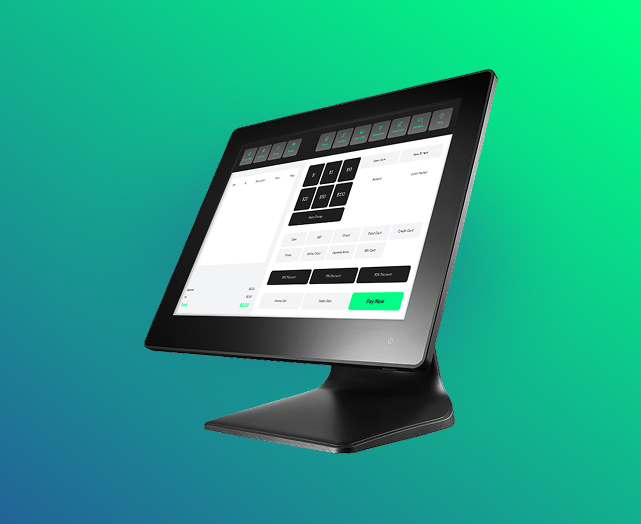
POS Nation offers a convenience-store-focused POS for smaller operators that want practical inventory tools, simpler setup, and features built around everyday c-store selling. It is more specialised than a general retail POS in areas like case breaking, lottery, age verification, and bundle pricing, which makes it a better fit for smaller convenience stores that need those tools without stepping up to an enterprise system.
Key Features
- Case Break Inventory: POS Nation tracks cartons, packs, and individual units so stores can sell from bulk inventory more accurately.
- Age Verification: The system supports ID scanning for tobacco and alcohol sales.
- Integrated Lottery Management: POS Nation supports lottery sales within the POS workflow.
- Automated Reordering: Operators can set reorder thresholds to generate purchase orders faster.
- Mix-and-Match Promotions: The platform supports bundle promos that are relevant for convenience-store pricing.
Pricing
Starter plans begin at $49 per month. Hardware bundles are priced separately based on the store’s specific configuration.
Pros
- Lower upfront cost compared to enterprise-grade systems.
- Ships pre-configured hardware for faster store implementation.
- Includes unlimited SKUs and barcodes for large inventories.
- Supports automated purchase orders when stock levels run low.
Cons
- Pricing and feature depth can vary depending on the bundle you choose.
- Reporting tools are basic compared to larger platforms.
- Limited scalability for high-volume regional chains.
9. Clover POS
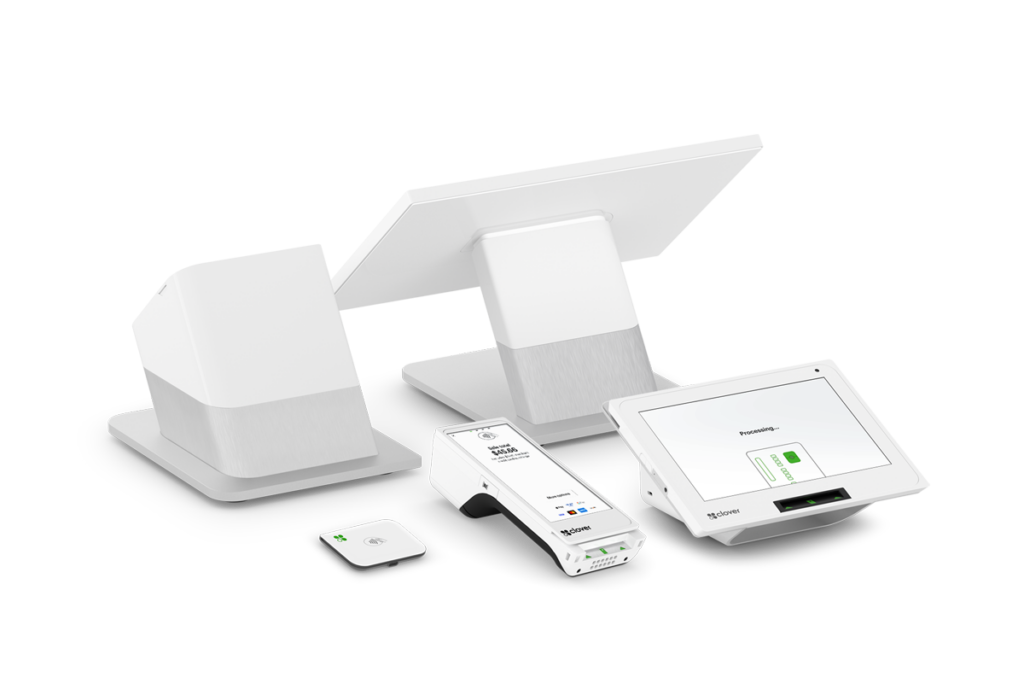
Clover POS is a flexible retail system that works best for smaller convenience stores that want fast setup, intuitive hardware, and the option to expand through apps and accessories. It is not purpose-built for convenience stores in the same way as KORONA or POS Nation, but it covers several core needs well, including fast payments, inventory tracking, loyalty, reporting, and third-party hardware support.
Key Features
- Fast Payment Acceptance: Clover supports credit, debit, contactless payments, and mobile wallets for quicker checkout.
- Inventory Management: Clover includes inventory tracking tools and supports broader setup through accessories and apps.
- Real-Time Reporting: Live sales and performance data are available through Clover’s reporting dashboard.
- Customer Loyalty and CRM: Clover includes customer management and loyalty tools to support repeat business.
- App and Hardware Flexibility: Clover supports third-party apps and accessories, including barcode scanners and scales, for more customised store setups.
Pricing
Clover does not present one standard retail software price. Pricing varies by hardware, software plan, and payment setup, with transaction rates typically starting as low as 2.3% + 10¢ per transaction. Custom quotes may apply depending on the configuration.
Pros
- Very easy to learn and use for smaller store teams.
- Flexible hardware lineup makes it easier to match the setup to the store.
- Strong app ecosystem allows operators to add features over time.
- Good fit for stores that want built-in loyalty, reporting, and cloud access.
Cons
- Many convenience-store-specific needs may depend on third-party apps rather than native tools.
- Total monthly cost can rise as more apps and accessories are added.
- Pricing and processor terms can vary depending on how Clover is purchased.
10. Square for Retail
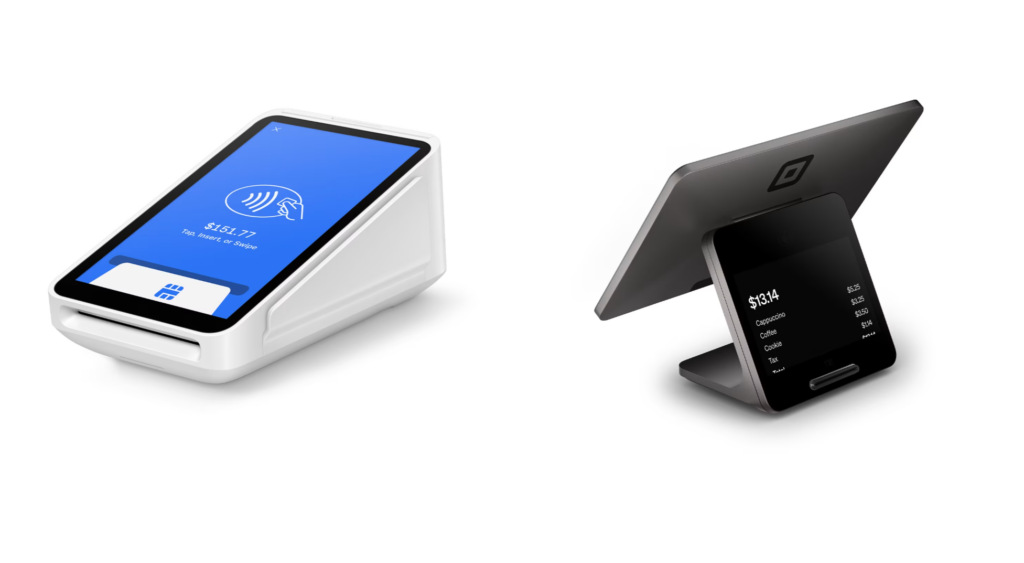
Square for Retail is a general retail POS that works best for smaller convenience stores that value quick setup, simple hardware, and accessible monthly pricing. It is not built specifically for c-stores, but it does cover several important needs such as barcode-based checkout, age-restricted item settings, inventory tracking, purchase orders, and multi-location sync.
Key Features
- Age Verification Settings: Square lets sellers set age restrictions on items, and Plus or Premium supports ID scanning for eligible IDs.
- Inventory Alerts: Square supports low-stock alerts to help stores restock earlier.
- Purchase Order Management: Square for Retail includes purchase order creation and receiving tools.
- Real-Time Multi-Location Inventory: Inventory stays synced across locations, in-store and online.
- Fast Barcode-Based Checkout: Square supports barcode scanning and SKU creation for faster item setup and transactions.
Pricing
Square offers a Free tier ($0/month) and a Plus tier ($49/month). Custom pricing is available for stores processing over $250,000 annually.
Pros
- Very easy to set up compared with larger retail systems.
- Clear monthly pricing makes it easier to budget.
- Strong fit for stores that want basic retail tools plus multi-location inventory.
- Works well for operators that also want online sales and connected retail tools.
Cons
- Requires third-party add-ons for specialized convenience store logic.
- Limited support for weighted inventory or scale-heavy environments.
- Processing fees increase the total cost of ownership over time.
How to Choose the Best POS System for Your Convenience Store
Stores need a setup that fits how they sell, how they manage stock, and how much control they need across daily operations. The right system should support the pace of the business today while giving you room to manage growth, compliance, and store performance more confidently.
- Age verification and compliance: Systems with built-in ID scanning and register prompts help staff follow the correct steps without slowing checkout. BMC supports this with compliance tools designed for everyday use at the register.
- Checkout speed and reliability: A reliable system should handle steady transaction volume without lag and support modern payment methods. BMC supports faster checkout with stable hardware and payment processing that keeps lines moving.
- Inventory control and replenishment: Systems that support case breaking, low-stock alerts, and automated reordering help stores stay stocked and avoid missed sales. bmc connects here with inventory visibility and replenishment tools that support constant product movement.
- Loss prevention and store control: Shrink can quietly impact margins if it is not tracked closely. POS systems with cashier controls, reporting, and inventory tracking help operators spot issues earlier. bmc supports this with reporting and control tools that give better visibility into store activity.
- Multi-store visibility and reporting: Operators with more than one location need a clear view of performance across stores. bmc supports multi-location operations with unified reporting and pricebook control across sites.
A POS System Built for Convenience Store Operations
For convenience store operators, the right POS system affects how the store handles checkout, compliance, inventory, and pricing control. bmc brings these needs together through professional implementation, staff training, and ongoing support that independent retailers can rely on as the business grows. Dependable systems and practical support help stores spend less time on avoidable issues and keep more attention on performance, margins, and customer experience.
Ready to see how bmc can optimize your convenience store operations?