

Quick Summary
ThriftCart is built for secondhand stores and includes features such as color-tag markdowns and donation tracking. Shopify helps connect your in-store and online resale. BMC supports donation-based chains with production workflows and in-person support in Michigan, Ohio, Kentucky, and Indiana.
Our top 3 picks at a glance
# | POS System | Core Strength |
1 | Osprey POS | Production workflows, multi-store reporting, U.S.-based service |
2 | ThriftCart | Color-tag discounting, donation tracking built in |
3 | Shopify POS | E-commerce sync across channels |
Why the Right Thrift POS Matters
If you run a thrift store, you know how hectic it can get. Each donated item is different. They need to be priced by hand, tagged with a color, and moved if they sit on the shelf too long. Most retail software is not designed for these tasks.
When your system can’t keep up, it quickly becomes costly. Volunteers wait at slow checkouts, markdowns get missed, and donation receipts pile up, which can lead to compliance issues. You spend extra time and labor fixing problems that good software could prevent.
The best POS systems for thrift stores handle intake, color-tag pricing, donation tracking, and multi-store reporting all in one place. In this guide, you’ll find 12 options, including thrift-specific platforms and general retail tools, to help you choose what works best for your store.
Why Listen to Us
bmc has been building POS systems for independent retailers since 1958, with over 65 years of experience through every change in retail technology. Thrift stores are one of our main specialties. Donation-driven groups like Goodwill North Central Wisconsin, Waterfront Rescue Mission, and Jubilee Ministries already trust us.
This guide is based on our real-world experience. We compared each system by looking at the features thrift stores actually need, not just generic retail checklists.
All 12 Thrift Store POS Systems Compared
A quick side-by-side of every system, what each does best, and where pricing starts.
# | POS System | Best For | Starting Price |
1 | Osprey POS | Thrift chains that want local setup and hands-on service | Custom quote |
2 | ThriftCart | Donation intake, pickups, and tax receipts in one tool | $99/month |
3 | Shopify POS | Running a real online shop beside the register | $25/month (billed yearly) |
4 | Lightspeed Retail | Selling across marketplaces like eBay and Amazon | $89/month (billed yearly) |
5 | Square POS | Starting cheap with a free core plan | $0/month |
6 | SimpleConsign | Tracking consignor splits and booth rent | $159/month |
7 | KORONA POS | Inventory analytics and RFID self-checkout | $59/month |
8 | RetailEdge | Paying once instead of a monthly subscription | $495 one-time |
9 | Secure Retail (S-Tags) | Printing tags fast to move stock to the floor | Custom quote |
10 | Bepoz | Production reporting by volunteer and category | Custom quote |
11 | AccuPOS | Syncing every sale to QuickBooks or Sage | $84/month |
12 | Loyverse POS | Multi-store basics at no software cost | Free |
1. Osprey POS: Best for Local Support
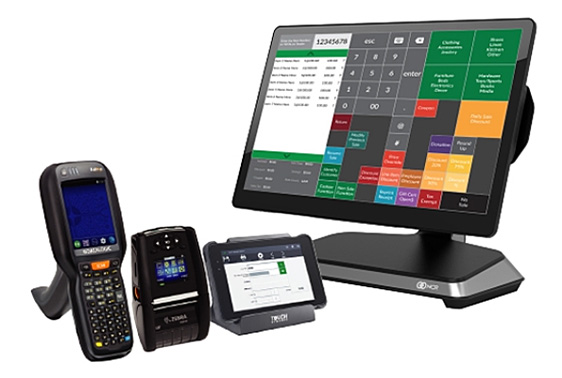
Osprey POS is built around thrift stores, where donated items come in unsorted, unpriced, and unique. It pairs condition-based pricing and production workstations with bmc’s install-and-support model, turning messy intake into shelf-ready stock. Osprey runs on certified hardware from partners like NCR and PAR, with bmc handling everything from setup to ongoing service.
Most POS systems only handle checkout. Osprey goes further by managing donation capture, color-tag rotation, multi-store sales, and loss prevention in one place. This means no hand-tracking donations, no manual color-rotation updates, and no adding up each store’s sales by hand.
With bmc, you get the freedom to run your thrift store your way. Certified technicians guide you through a flexible implementation, train your team, and answer the phone whenever you need help. For chains managing overstock and shortages across locations, the close support and multi-store visibility you get make daily operations easier.
Key features
- Tagging and production workstation: Price, tag, and process donated goods consistently before they go on the sales floor.
- Color-rotation pricing: Automate color-tag markdowns so older merchandise sells before it stays too long.
- Donation management: Quickly record donations, issue instant receipts, and keep donation logs organized.
- Multi-store sell-through reporting: Identify slow-selling categories across all locations and adjust pricing from a single dashboard.
- Enhanced loss prevention: Prevent unauthorized markdowns and confirm returns using ID checks and audit logs.
- Loyalty and membership tools: Offer rewards and digital deals to donors and returning shoppers.
- Mobile POS for the floor: Process sales during busy donation times and sale days without leaving the sales area.
Pricing
Pricing is available by custom quote. Request a demo from bmc to get a price based on your number of stores and specific needs.
Pros
- Designed specifically for donation-based thrift stores.
- Manages the entire process from donation intake to final sale.
- Offers strong loss prevention, which is helpful for teams with many volunteers.
- Multi-store reporting without spreadsheet cleanup.
- Tailors set up to how your stores already run.
Con
- You can only get pricing through a custom quote.
2. ThriftCart: Best for Thrift-Specific Tooling Out of the Box
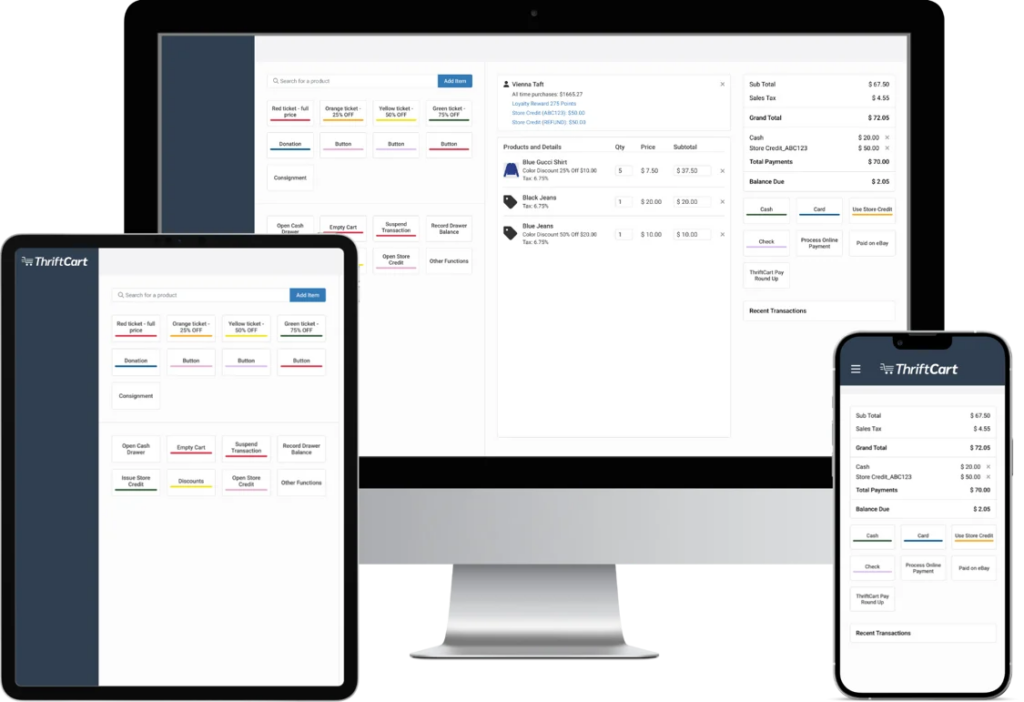
ThriftCart is a thrift POS system that logs each donated item at intake. It prices items by department and automatically marks them down as they age. The system also schedules donation pickups and plans collection routes. It issues tax receipts and syncs your in-store stock with an online shop.
Key features
- Roundup donations at checkout: Shoppers can round up their purchase to the nearest dollar.
- Color-based discounting and time markdowns: Prices drop automatically by tag color as items sit longer.
- Donation pickup scheduling with route optimization: Take pickup requests online or in store, then plan collection routes.
- Digital tax receipts: Email donor tax receipts and schedule thank-you messages from the same system.
- Built-in e-commerce integration: List items online, with in-store and online stock updating together.
Pricing
Starter runs $99/month, down from $150. Core and Plus need a custom quote. Billing is monthly. You can build a quote through ThriftCart’s pricing tool.
Pros
- Covers donation intake, receipts, and pickups in one place.
- Drops prices automatically as items age.
- The routing tool helps plan donation collection.
Cons
- Only the Starter plan shows a public price.
- Online selling runs through its own integration.
- More tooling than a single small shop may need.
3. Shopify POS: Best for Selling In-Store and Online Together
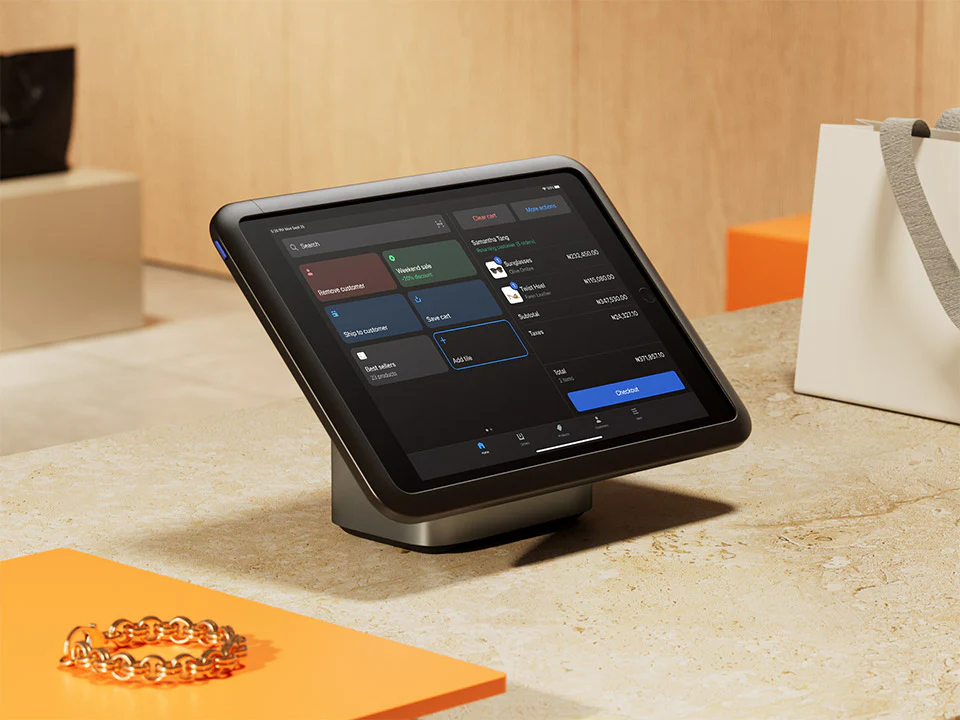
Shopify POS is a retail system that ties floor sales with an online shop. Both channels run on one platform, with stock updating as items sell. That means you avoid listing items that are already gone from the shelf. It is best for thrift stores that want an online presence alongside in-store operations.
Key features
- Unified online and in-store stock: Inventory updates automatically across every channel with each sale or return
- Multi-location inventory tracking: Manage stock across stores, online, and a warehouse from one place
- Stockout alerts and bestseller reports: Get notified when items run out and see what sells fastest
- Email cart to shoppers: Send in-store shoppers a cart to finish checkout online later
- Mobile app and card readers: Ring sales anywhere on the floor or at pop-up events
Pricing
Plans are billed yearly: Basic $25/month, Grow $65/month, Advanced $360/month, and Plus from $2,300/month.
Each extra POS Pro location adds $79/month. Card rates start at 2% with third-party providers on Basic.
Pros
- One system for an online store, register, and stock.
- Inventory syncs across locations in real time.
- Mobile hardware works for pop-ups and floor sales.
Cons
- Needs a stable internet connection to run.
- Feature volume can overwhelm a small single-store shop.
- POS Pro features cost extra per location.
4. Lightspeed Retail: Best for Multi-Location Inventory
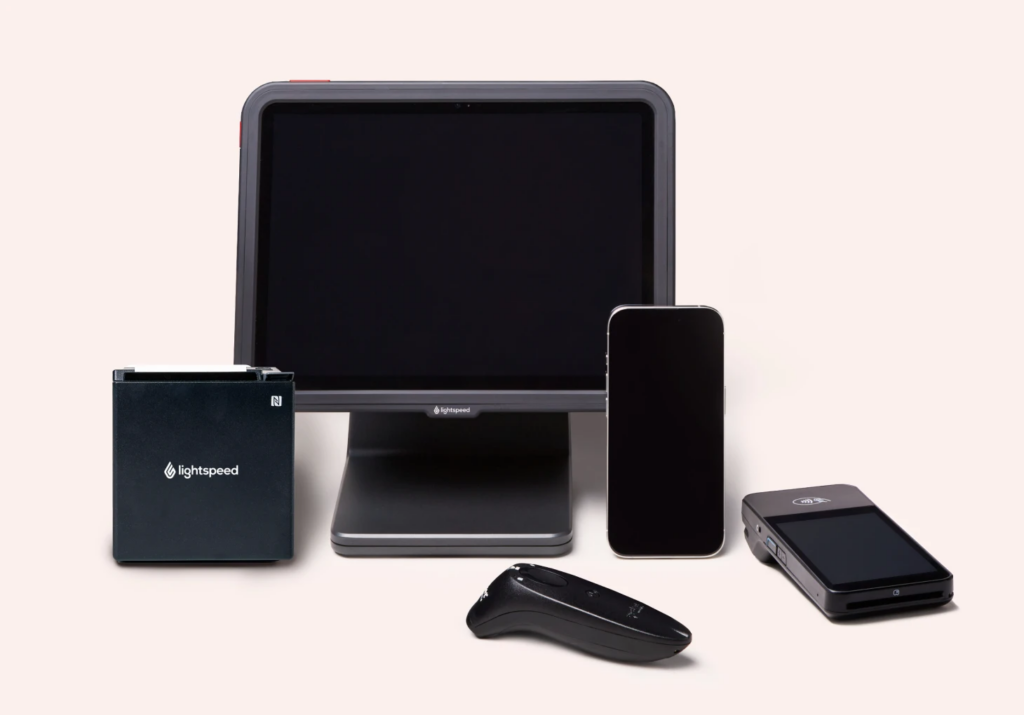
Lightspeed Retail is a cloud POS that tracks donated stock as individual items and adjusts pricing on the fly. It manages inventory across multiple stores, moves stock between locations, and runs loyalty programs. You can also build a webshop or connect to marketplaces like eBay and Amazon.
Key features
- Individual item tracking: Log donated stock one item at a time or in bulk, with custom fields for size and color.
- Multi-location stock transfers: Move inventory between stores while maintaining consistent pricing across platforms.
- Loyalty and SMS/email marketing: Run points-based rewards and message customers about new arrivals and events.
- Scheduled reporting: Automate reports on products, staff, and customers, viewable anywhere through the cloud.
- E-commerce and marketplace selling: List items online or sell through Amazon, eBay, Walmart, and Google Shopping.
Pricing
Billed annually: Basic $89/month, Core $149/month, Plus $289/month.
Each plan includes one register. Non-profits may qualify for special pricing through Lightspeed’s sales team.
Pros
- Strong inventory tools for multiple thrift locations.
- Sells across online marketplaces, not just a webshop.
- Cloud access keeps running if the internet drops.
Cons
- No donation tracking or tax-receipt tools built in.
- Custom thrift setup needs technical know-how.
- Each extra register and location raises cost.
5. Square POS: Best for a Simple, Low-Cost Start
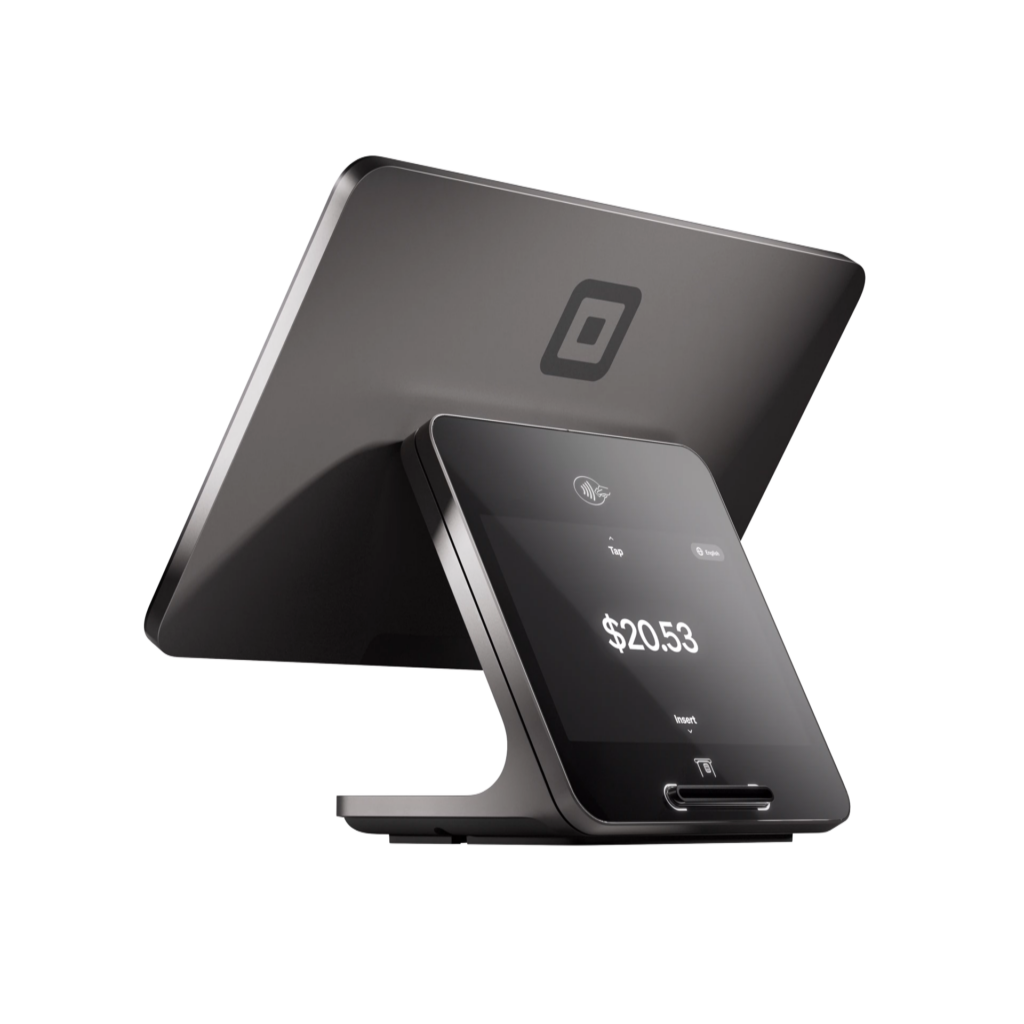
Square POS is a retail system that’s quick to set up and easy to learn. It tracks inventory and sales, processes payments, prints barcodes, and works offline. A free plan covers the basics, which is a benefit for small thrift stores or pop-ups testing a system without upfront cost.
Key features
- Offline mode: Keep taking card payments without internet, processed once you reconnect within 24 hours.
- Inventory and sales tracking: Monitor stock and sales with barcode scanning across in-person and online channels.
- Discounts and refunds: Apply manual or automatic discounts and process full or partial refunds quickly.
- Item library and custom grid: Build a single library of products and ring sales from a custom item grid.
- Built-in marketing: Run email and text campaigns to bring shoppers back through Square Marketing.
Pricing
Per location, billed monthly: Free ($0), Plus ($49), Premium ($149).
Processing fees apply per payment. Stores with over $250,000/year in revenue can inquire about custom Square Pro pricing.
Pros
- Easy setup with little staff training needed.
- Offline mode works for pop-ups and events.
- Sells across in-store and online channels.
Cons
- Processing fees apply to every single payment.
- Advanced features are available on paid monthly plans.
- Built for general retail, not donation workflows.
6. SimpleConsign: Best for Consignment and Resale Stores
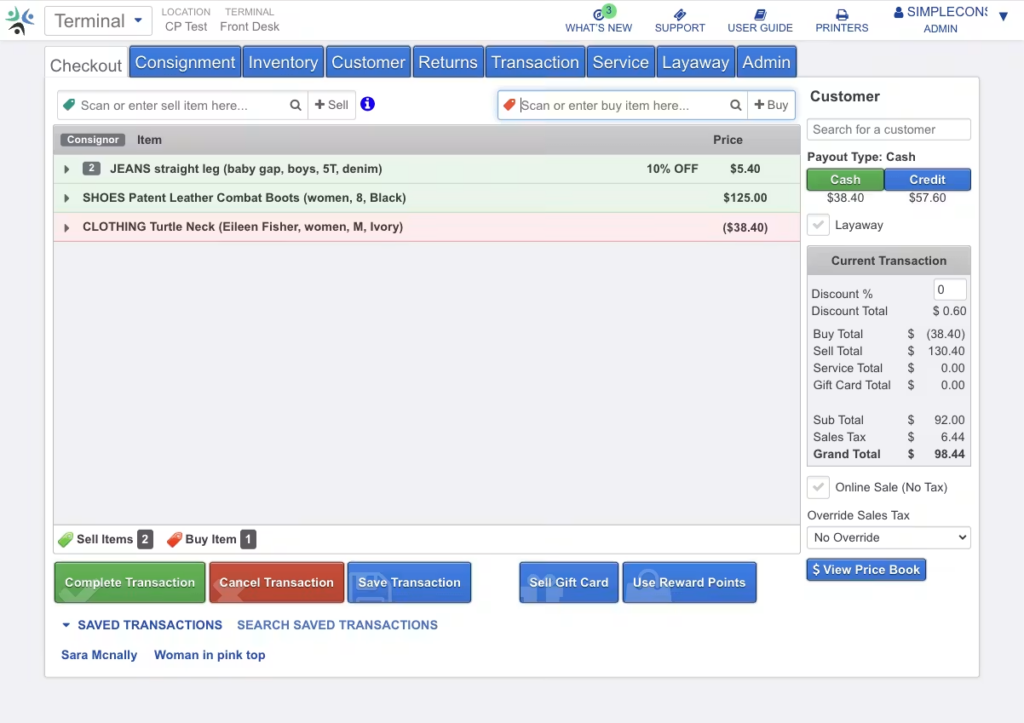
SimpleConsign is a cloud POS built for consignment, resale, and vendor malls. It tracks consignor and vendor inventory, automates payouts via ACH or check, and provides sellers with a portal to monitor sales. It also supports split pricing, booth rent, and detailed reporting across locations.
Key features
- Consignor and vendor payouts: Pay individuals or process batch payouts via ACH, check, cash, or store credit.
- Consignor portal access: Let consignors view balances, sales, and inventory from home.
- Customizable splits and fees: Set consignment splits and fees by account, category, or agreement.
- Booth rent collection: Assign and auto-deduct monthly booth rent for vendor mall operators.
- Multi-location inventory tracking: Track and move stock across stores, with Shopify sync for online sales.
Pricing
Billed monthly: Basic $159, Standard $259, Professional $359.
New customers start on Professional at $99/month for the first year or up to $75K revenue. Some add-ons cost extra.
Pros
- Built for consignment and vendor-managed inventory.
- Automates consignor payouts and tracks splits.
- Portal lets sellers check sales themselves.
Cons
- Aimed at consignment, not donation-driven thrift.
- Higher monthly cost than general retail plans.
- Some integrations add monthly fees on top.
7. KORONA POS: Best for High-Volume Thrift Operations

KORONA POS is a cloud-based retail system for high-volume stores, featuring robust inventory and analytics tools. It tracks donated items by category, runs ABC inventory analysis to flag top performers, and supports RFID self-checkout kiosks. It bills as a flat monthly subscription with no contracts.
Key features
- ABC inventory analytics: Rank items by profitability so high-volume stores prioritize the best sellers.
- Donations by category: Accept and organize donated items into pricing categories with ease.
- RFID self-checkout kiosks: Reduce labor and lines with contactless self-pay and built-in theft tracking.
- Multi-store and franchise management: Oversee inventory and pricing across many locations from a single system.
- 24/7 in-house support: Access phone and chat support anytime, including overnight for critical sales issues.
Pricing
Billed monthly, no contracts: Core $59, Retail $79, Plus $99.
Each adds more inventory and analytics tools. Optional module packages cost extra. A free trial is available.
Pros
- Deep inventory analytics for busy thrift stores.
- RFID kiosks reduce labor and checkout lines.
- Round-the-clock support, including overnight emergencies.
Cons
- No donation receipts or pickup scheduling tools.
- Analytics depth can overwhelm a small shop.
- Module add-ons raise the base price.
8. RetailEdge: Best for a One-Time Payment Model
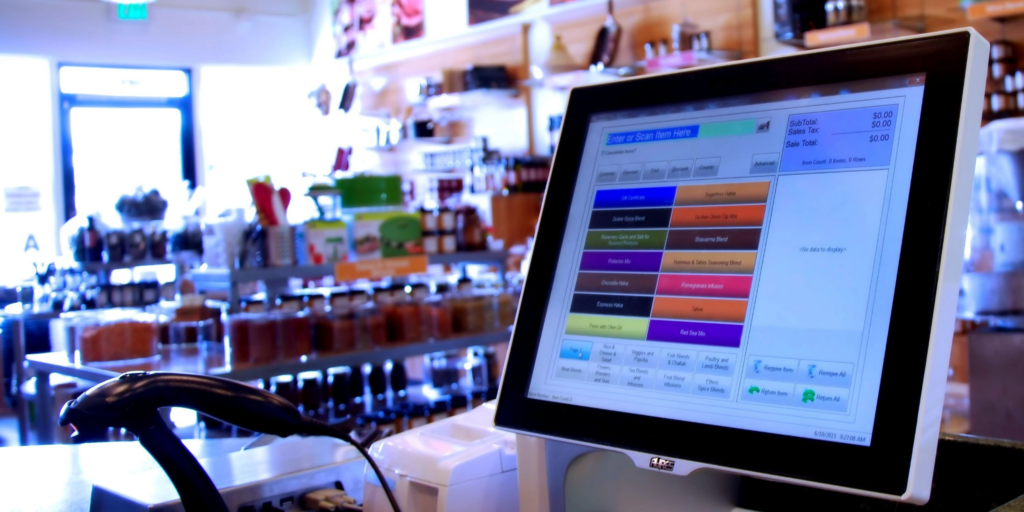
RetailEdge is a Windows-based POS that retailers buy outright rather than pay for on a monthly basis. It suits thrift and consignment stores that enter inventory item by item, with room to describe each unique piece. It also tracks consignor payouts, prints barcode labels, and syncs across locations.
Key features
- Detailed item descriptions: Record full details for each unique piece, including condition and brand.
- Consignor tracking and payouts: Tell consignors what they’re owed and cut checks through QuickBooks Desktop.
- Barcode labeling options: Print removable, jewelry, hang-tag, or product labels to fit different item types.
- Local data storage: Keep data on your own device, so the system runs even when offline.
- Multi-location sync: Grow from one store to several using RetailEdge’s RECON data synchronization.
Pricing
One-time license, no monthly fee required.
Main workstation $495, client workstation $225, island workstation $450. Optional support plans cost extra, from $5/month per workstation.
Pros
- Pay once instead of an ongoing subscription.
- The long description field is well-suited to unique donated items.
- Tracks consignor payouts and ties to QuickBooks.
Cons
- No donation intake, receipts, or color-rotation tools.
- Windows-based, not a modern cloud system.
- Support and updates cost extra.
9. Secure Retail (S-Tags): Best for Fast Thrift Tagging and Production
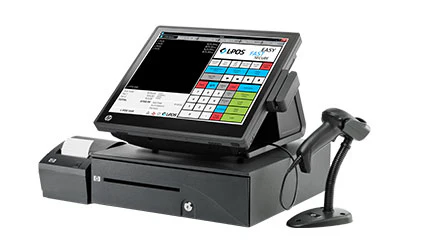
S-Tags is a thrift-tagging and POS system that prints item tags in seconds, adding a unit to inventory for each tag. It pairs with Logivision POS software and aims to move donated goods to the sales floor quickly. It serves both nonprofit and for-profit thrift stores.
Key features
- Tag-to-inventory production: Each printed tag adds a stock unit, and selling it automatically decrements the count.
- Detailed item descriptions on tags: Print item details on every tag to reduce tag-switching and pricing fraud.
- Color rotation discounting: Apply scheduled discounts by tag color so aging stock is marked down on time.
- Production tracking by tagger: See how many items each volunteer or staff member tags, if you track it.
- Loyalty and gift card options: Run barcoded receipt coupons or full loyalty programs through a DataCandy partnership.
Pricing
No public pricing listed. Secure Retail handles installation and provides help-desk support after setup. Contact their sales team for a quote.
Pros
- Built specifically for thrift tagging and production.
- Tag descriptions cut price-switching at checkout.
- Serves both non-profit and for-profit thrifts.
Cons
- No public pricing, must contact sales.
- Relies on Logivision POS as a separate piece.
- Heavier focus on tagging than on online sales.
10. Bepoz: Best for Thrift Tagging With Production Reporting
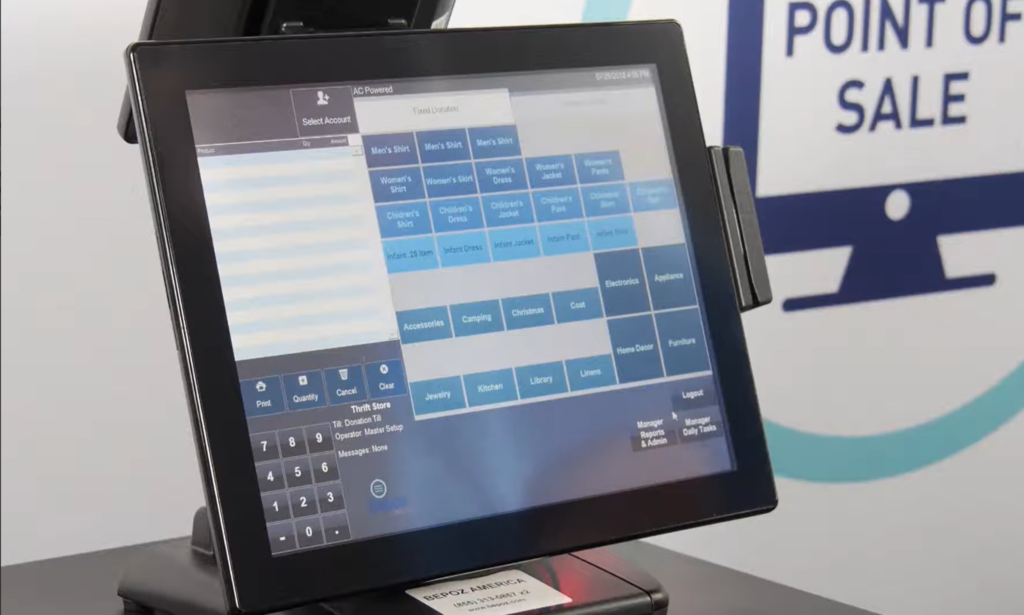
Bepoz is another Windows-based thrift POS on our list, built around donation tagging and color-rotation pricing. Staff categorize and price each item at intake, printing a label and updating stock in one step. It handles both fixed-price goods and one-off items priced individually.
Key features
- Donation tagging: Categorize items by type, size, and condition, then print a label instantly.
- Unique item descriptions: Add details such as “red velvet couch” to each one-off label to prevent tag switching.
- Color rotation discounting: Rotate tag colors weekly so items are marked down automatically on schedule.
- Production reporting by staff: Track items tagged per volunteer and items received versus sold by category.
- Round-up donations: Let customers round up at checkout to one charity, a chosen list, or your own.
Pricing
No public pricing listed. Bepoz works with single stores and chains. Schedule a demo with their team for a quote.
Pros
- The tagging station adds stock and prints labels together.
- Item descriptions reduce price switching for unique goods.
- Production reports show tagging output by person.
Cons
- No public pricing, demo required for a quote.
- Windows-based, lighter on cloud, and e-commerce.
- Production depth suits larger operations more than tiny shops.
11. AccuPOS: Best for Accounting Integration
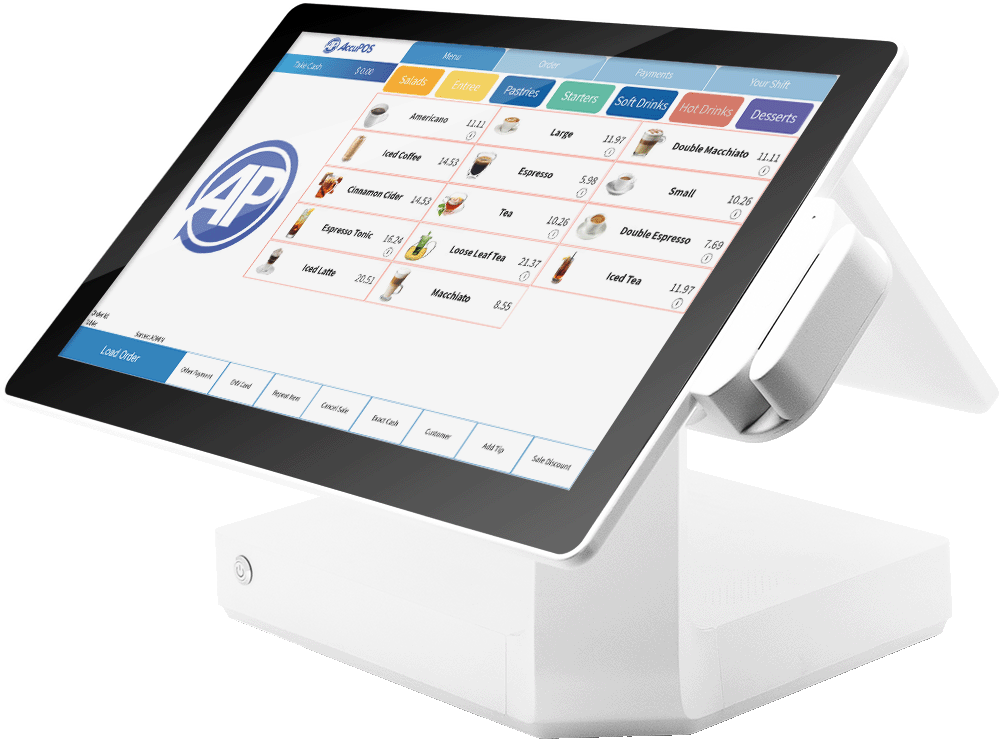
AccuPOS is a POS system that runs on both PC and Android hardware and integrates closely with accounting software. It scans newly donated items, prints labels, and records inventory changes as stock arrives. Each sale automatically syncs with QuickBooks or Sage, and you can manage the store remotely.
Key features
- QuickBooks and Sage syncing: Automatically send every sale to your accounting software, reducing manual data entry.
- PC and Android support: Use the same interface on both platforms, so staff trains once for all hardware.
- Inventory scanning with AccuCount: Scan new drop-offs, print labels, and record stock changes as items arrive.
- Remote management: Track sales, schedule staff, and plan discounts from anywhere with a secure login.
- Custom-branded receipts: Email receipts with your logo and retrieve past receipts as needed.
Pricing
Starts at $84/month, with $45/month per additional station. Billing is monthly.
Pros
- Deep accounting sync with QuickBooks and Sage.
- Works on both PC and Android hardware.
- Remote management handles staff and discounts off-site.
Cons
- No donation receipts or color-rotation thrift tools.
- Built around accounting, lighter on thrift production.
- Per-station fees raise costs as you grow.
12. Loyverse POS: Best Free Option for Small Stores
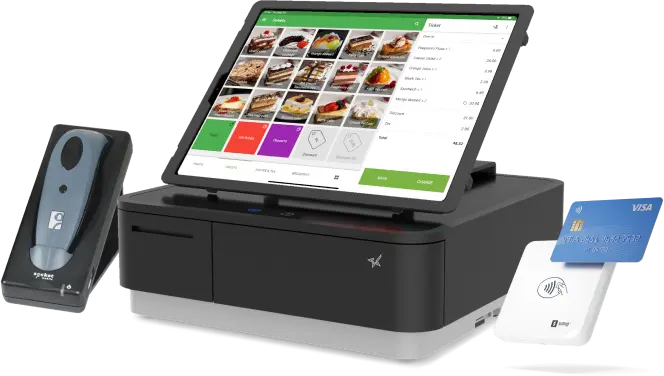
Loyverse POS is a free system that handles sales, inventory, and a built-in loyalty program. It runs on Android and iOS, manages multiple stores, and shows sales analytics through a free dashboard. Paid add-ons cover deeper inventory, employee tracking, and longer sales history when you need them.
Key features
- Free core POS: Run sales, basic inventory, and a loyalty program with no monthly cost.
- Multi-store management: Track and manage multiple store locations from a single free account.
- Built-in loyalty program: Identify regulars and offer promotions based on their purchase history.
- Item variants: Group products by size or color, useful for clothing and shoes.
- Sales analytics dashboard: View sales by store, employee, and period from the cloud.
Pricing
The core POS is free.
Optional add-ons, billed annually: unlimited sales history $50/year per store, employee management $50/year per employee, and advanced inventory $250/year per store.
Pros
- Core POS and loyalty cost nothing to run.
- Item variants suit clothing and accessories.
- Runs on Android and iOS devices.
Cons
- No donation, tagging, or color-rotation thrift tools.
- Key features like purchase orders cost extra.
- Built for general retail, not donation workflows.
What to Look for in a Thrift Store POS
Not every system handles donated goods well. Weigh these five factors before you commit.
- Donation and tagging workflow: Donated stock arrives unsorted and unpriced daily. Your system should tag, price, and add items to inventory in a single step. Without this, staff waste hours on manual entry.
- Color-rotation pricing: Thrift pricing depends on marking items down as they age. Look for automated color-tag discounts that apply at the register. Manual rotation leads to missed markdowns and stale stock.
- Multi-store visibility: Managing several locations means overstock in one and shortages in another. A single dashboard should show sell-through and stock levels across every store. Otherwise, you compare reports by hand.
- Loss prevention controls: Volunteer-heavy teams increase the risk of unauthorized markdowns and returns. Strong systems flag voids, confirm returns with ID, and log activity. This protects margins on already-thin pricing.
- Local setup and support: Software alone won’t move goods to the floor faster. Hands-on implementation and training matter more than a slick self-serve app. Weigh who installs it and who answers when something breaks.
Factor Labor Costs Into Your POS Decision
A low-cost POS that can’t tag donations or rotate colors may end up costing you more in labor than you save on subscription fees. This is a common mistake for many thrift buyers.
ThriftCart and S-Tags are built for donation workflows. Shopify and Lightspeed suit stores leaning into online sales. Square and Loyverse keep costs low for smaller shops just getting started.
If you run donation-driven stores and want a partner who installs the system, trains your team, and answers the phone when something breaks, bmc fits that mold. Its tagging, color rotation, and multi-store reporting align with how thrift operations actually run day-to-day.
Start by looking at your store’s workflow, not just the price tag. Map out how donations move from intake to sale, then choose the system that cuts out the most manual steps. The right fit will keep your stock moving and protect your margins.
See exactly how bmc handles your specific donation intake.